


AI dubbing for creators: scale TikTok and YouTube with GoCrazyAI AI Dubbing
A practical creator’s guide to AI dubbing for creators: translate and dub TikTok and YouTube videos into 30+ languages with GoCrazyAI AI Dubbing.
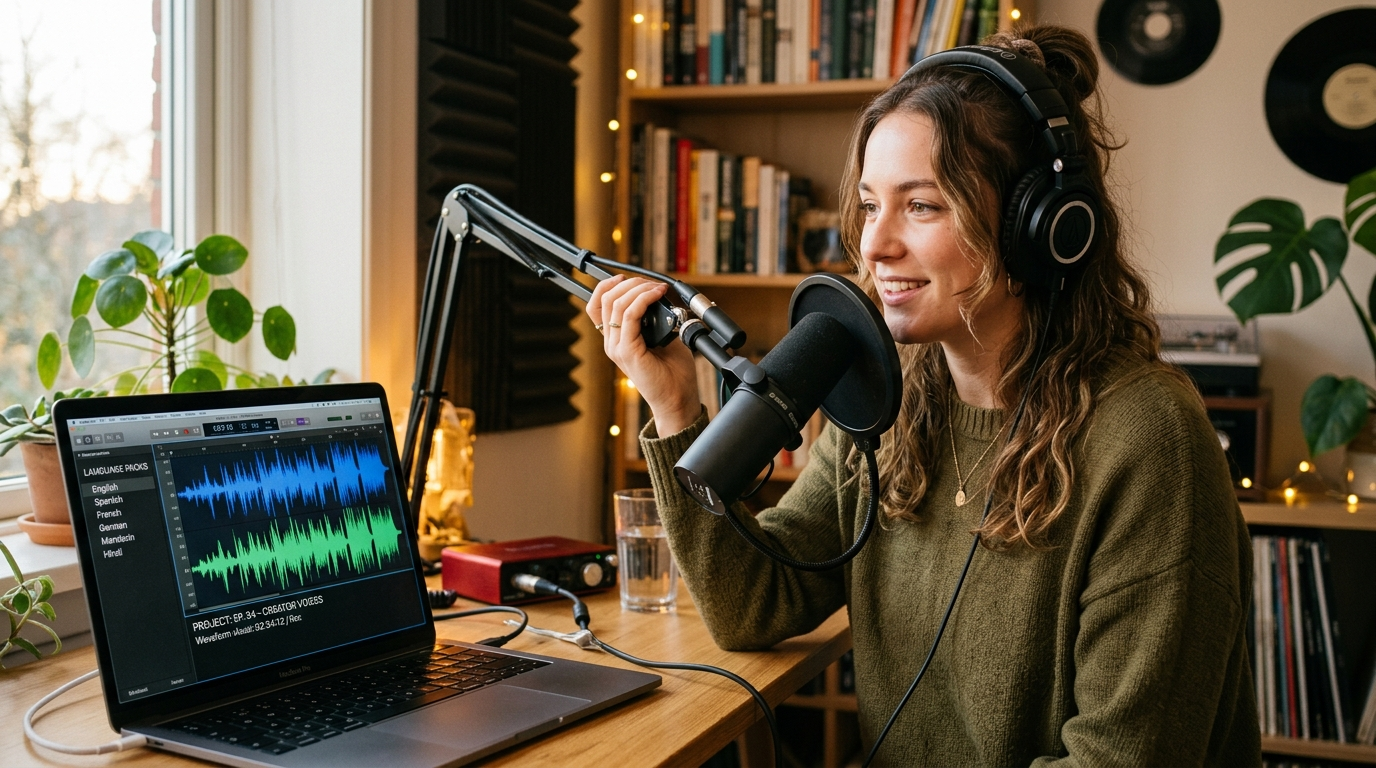
If you want to dub TikTok videos and localize YouTube content without hiring a studio, this hands‑on guide shows exactly how to scale: from quick TikTok hooks to full-length multi-audio uploads. We focus on practical workflows creators use to expand reach and revenue with AI dubbing — and we use GoCrazyAI AI Dubbing throughout as the tool that gets the job done.
Start by trying the AI Dubbing tool with a short TikTok URL (or upload a clip) and follow the step-by-step workflows below. This article covers why voice-first localization beats subtitles on short-form platforms, the technical pipeline (ASR → NMT → voice cloning → lip-sync), two concrete GoCrazyAI AI Dubbing walkthroughs, and a simple ROI plan to scale multilingual publishing.
Why voice-first localization outperforms subtitles for short-form video (what the data says)
Short-form platforms like TikTok, Reels, and Shorts reward fast comprehension and immediate emotional connection. On those platforms, native-sounding audio removes the friction of reading subtitles, making content easier to consume while users scroll. Multiple platform optimization guides and localization studies recommend native-sounding dubs because audio maps to the platform’s lean-back, discovery-driven behavior: viewers who hear a native voice are more likely to click, watch longer, and rewatch.
Industry reporting and early platform metrics back this up: creators who add multi-language audio tracks often capture meaningful non-primary watch time—platform data and case studies show roughly 15–25% of watch time can come from dubbed tracks when available. High-profile examples include creators and channels that reported up to a threefold increase in viewership after adding multilingual audio tracks, illustrating how voice localization can unlock new markets quickly.
For creators focused on growth, the practical consequence is straightforward: a short TikTok hook that feels native in Spanish, Portuguese, or German will usually outperform the same clip with only English audio and subtitles. Because speaking directly to viewers in their language reduces cognitive load, CTR and completion rate improvements are common. That’s why GoCrazyAI AI Dubbing, which auto-translates into 30+ languages and preserves the speaker’s voice, is built specifically for creators who need fast, scalable localization without sacrificing the original performance of their delivery.
How AI dubbing works: the technical pipeline behind voice cloning, ASR, NMT and lip-sync
AI dubbing ties several ML components into one end-to-end flow. At a high level the pipeline looks like this: automatic speech recognition (ASR) to create a clean transcript, neural machine translation (NMT) to translate the transcript, and neural text-to-speech (TTS) with speaker embeddings or voice cloning to reproduce the original speaker’s voice in the target language. Advanced pipelines add timing and lip-sync adjustments to preserve pacing and mouth movements when possible.
ASR: A robust recognizer produces a time-aligned transcript and timestamps for phrases. Good ASR reduces translation errors and lets the system insert natural pauses where the original speaker did.
NMT: Modern translation models rewrite content for naturalness, not literal word-for-word equivalence. That means idioms, cultural references, and hook lines must be adapted—human review or localized glossaries can be layered in when needed.
Voice cloning / TTS: This is where the original voice is preserved. Speaker embeddings capture pitch, pacing, and timbre so the generated audio sounds like the original creator, not a generic synthetic voice. GoCrazyAI AI Dubbing explicitly preserves the original speaker’s voice characteristics while rendering the translated script in the target language, producing natural-sounding localized tracks that match the creator’s delivery style.
Timing & lip-sync: For short-form platforms—where lip movement and rhythm matter—dubbing systems adjust phrase timing and insert micro-pauses so the voice still matches the on-screen mouth movement closely enough to avoid distractive desynchronization. The result is better perceived authenticity and higher completion rates.
End-to-end speed: The practical benefit for creators is speed. End-to-end AI dubbing workflows compress what used to take days (casting, studio time, edits) into minutes: upload a clip or point at a TikTok/YouTube URL, pick languages, and download dubbed audio files. That efficiency makes testing hypotheses (new markets, new hooks) affordable at scale.
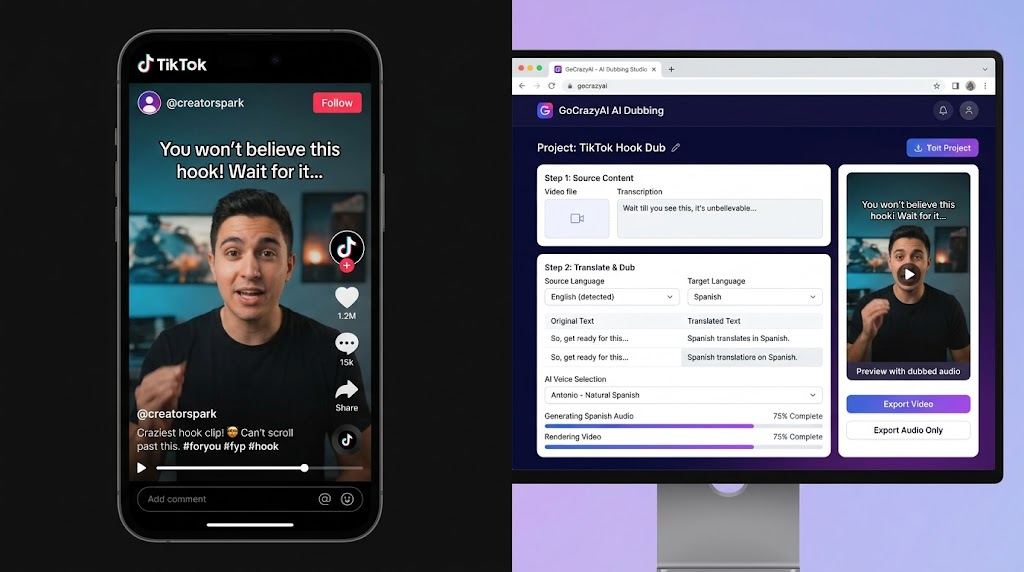
Hands-on workflow A — Quickly dub a TikTok hook into 7 high-impact languages (step-by-step with GoCrazyAI AI Dubbing)
This workflow shows a short, repeatable path to localize a 15–30 second TikTok hook into seven languages and get them live within a single session.
Why 7 languages? For short-form creators the fastest early wins usually come from a mix of Spanish, Portuguese, French, German, Indonesian, Hindi, and Russian—markets with high platform usage and visible audience overlap. Start small and expand.
Step-by-step (TikTok hook): 1) Pick a 15–30s hook that performs well in your analytics (high CTR and completion). Export or copy the TikTok URL. 2) Open GoCrazyAI AI Dubbing and choose "Upload or URL" — paste the TikTok URL or drop the clip. 3) Let the system run ASR to produce a timestamped transcript. Review and fix any misheard proper nouns or brand names. 4) Select your target languages: pick the 7 high-impact options and enable voice preservation. GoCrazyAI AI Dubbing auto-translates into 30+ target languages and preserves the original speaker's voice tone, so you’ll keep the same delivery. 5) Preview each language and tweak the translated hook phrasing where idioms or cultural references need adaptation. Use the built-in timeline to adjust timing or add micro-pauses for better lip-sync. 6) Render and download the seven audio tracks. Each track is a ready-to-drop MP3/ WAV you can layer over your existing video file. 7) Publish: for TikTok, upload the original video and replace the audio track with each localized version, or publish region-targeted posts depending on your strategy. Keep the same caption translated to match the audio language.
Time and proof point: this entire sequence takes minutes per language with GoCrazyAI AI Dubbing because it accepts uploads and URLs and automates translation and voice cloning. For creators who execute this workflow, the result is seven native-sounding variants that mirror the original voice without recording sessions or actors.
Tip: Pair the localized audio with translated captions and localized hashtags to maximize discovery. If you need new b-roll or visual variations, the GoCrazyAI AI Video Generator can create supporting shots quickly (/create-ai-video). Also, if you want to fine-tune the voice or audition alternate voices, try the AI Voices library (/ai-voice) to browse options or clone custom voices.
Hands-on workflow B — Localize a YouTube video into Spanish and publish multi-language audio tracks (best practices + GoCrazyAI walkthrough)
Localizing long-form YouTube content requires slightly different priorities: accuracy, pacing, and metadata. This walkthrough focuses on creating a high-quality Spanish audio track and publishing it as a multi-language audio option on YouTube.
Best practices before you start: choose a single test language (Spanish is often the highest-return first choice), prepare a glossary of brand names and recurring phrases, and allocate time for a quick human review of translated jokes or culturally loaded lines.
Step-by-step (YouTube long-form): 1) Identify a video with steady viewership and international impressions. Export the YouTube URL. 2) In GoCrazyAI AI Dubbing, paste the YouTube URL or upload the video file. The tool runs ASR to create a timestamped script automatically. 3) Review the transcript. Mark any sections that need localization (references to local places, jokes, or untranslated proper nouns). 4) Choose "Spanish" as the target language and enable voice preservation. GoCrazyAI AI Dubbing auto-translates speech into 30+ target languages and preserves the original speaker’s voice tone, so the Spanish track sounds like you speaking Spanish. 5) Use the timeline editor to match pacing. For long-form, you’ll occasionally need to shorten filler words or extend pauses; the editor lets you nudge timings and preview the lip-sync. 6) Export a dedicated audio track (stereo WAV or MP4 mux). For YouTube’s multi-language audio feature, upload the separate audio file as an additional language track in YouTube Studio — follow YouTube’s multi-language audio upload flow to attach the Spanish track to the original video (platform docs and reporting rollout notes are available, e.g. TechCrunch coverage on YouTube’s multi-language audio feature). 7) Add translated chapter markers and a Spanish title/description for maximum discoverability. Monitor language-specific watch time and retention.
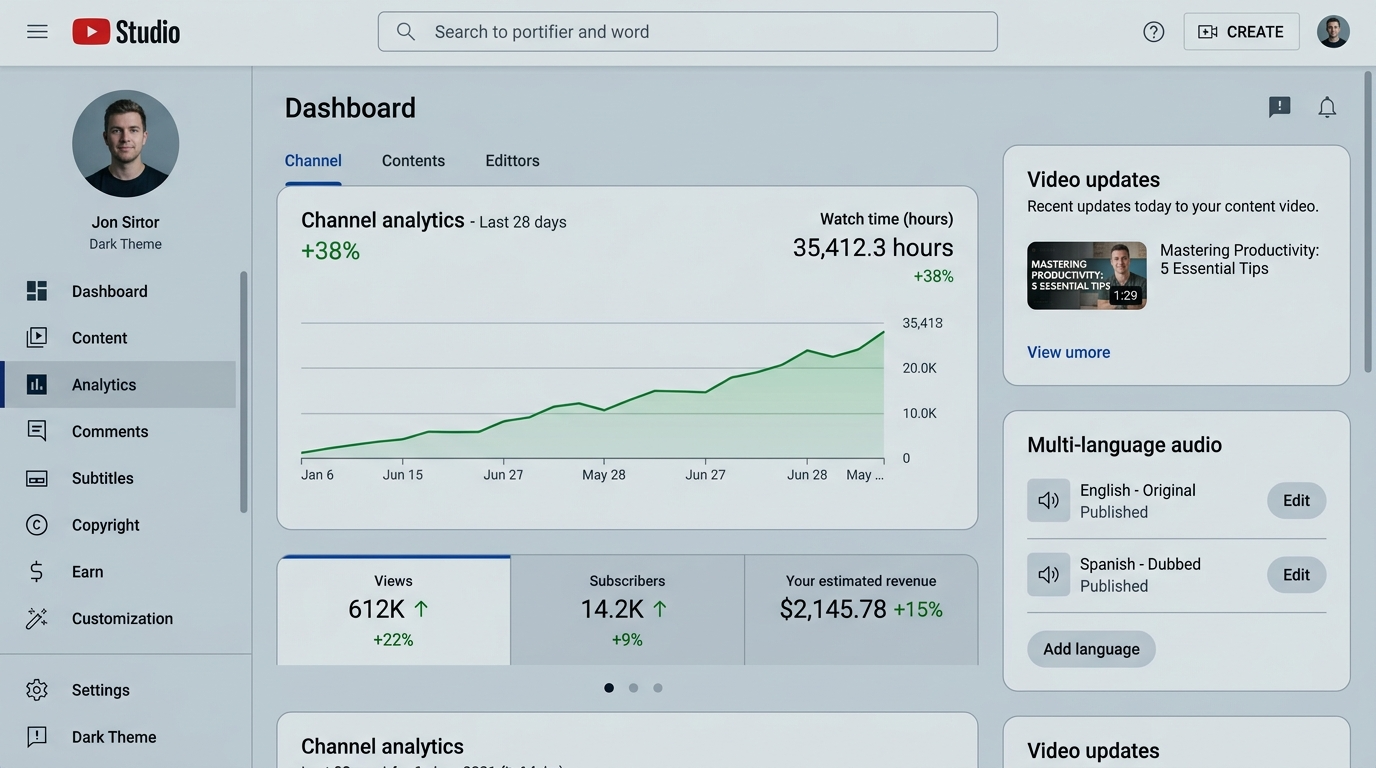
Why this works: creators who add multi-language audio tracks can capture meaningful watch time from non-primary languages—platform reports and examples show 15–25% watch-time contributions from dubbed tracks, and some creators experienced large viewership gains after adding multilingual audio. Using GoCrazyAI AI Dubbing lets you produce a polished Spanish track without studio time and with the original voice preserved, making the experience feel authentic to viewers.
Practical note: if you want custom music or localized background scores for each language, generate short instrumental beds with the AI Song Generator and drop them under the dubbed track (/ai-music). For voice alternatives or narration swaps, GoCrazyAI AI Voices provides 160+ premium options (/ai-voice).
How to measure ROI and scale a multilingual content plan using GoCrazyAI (language selection, testing cadence, and A/B metrics)
A scalable localization plan treats each language as an experiment. Start by selecting 3–5 languages from your analytics—prioritize markets that already show impressions, watch time, or comments from non-primary geographies. Creator case studies and platform guidance recommend this approach: test fast, measure lift, then expand to the remaining 30+ languages once you find winners.
Measurement framework:
- Primary metrics: language-level watch time, views, CTR (for discovery), and completion rate. Watch time by language is the clearest signal that an audio track is resonating.
- Secondary metrics: new subscribers from localized content, comment sentiment, and shares from target countries.
- A/B testing: publish a control (original audio + subtitles) and a test (localized audio + translated captions) for the same video. Compare CTR and 7-day retention. For short-form, small lifts in CTR and a 5–10% increase in completion rate can compound quickly across many videos.
Cadence and scale:
- Week 0–2: Pilot 3 languages for your best-performing clips. Use GoCrazyAI AI Dubbing to produce tracks quickly and measure early lift.
- Month 1: Expand to 10 languages where lifetime watch-time per language indicates traction.
- Month 3+: Automate bulk jobs for evergreen videos and add audio tracks using the platform’s bulk upload or batch creation tools.
Cost and time considerations: AI dubbing compresses turnaround time and reduces cost compared with traditional casting and studio recording. Using an automated tool like GoCrazyAI AI Dubbing, creators can produce a new language track in minutes rather than days. For budget planning, map the per-track generation time and any human review edits to hourly rates for a comparison to hiring voice talent.
Scaling operations with GoCrazyAI: use the tool’s URL-import and bulk workflows to queue multiple videos, and build a short review pass to check translations and timing. When you’re ready to expand beyond voice—localized thumbnails, translated descriptions, and region-specific promotion—pair dubbed audio with translated images generated by the AI Image Generator (/ai-image-generator) and localized music from the AI Song Generator (/ai-music). Finally, when billing and credits matter, review pricing and credits plans to estimate per-track cost and scale predictably (/credits).
Conclusion
GoCrazyAI AI Dubbing turns language experiments into repeatable workflows: upload a clip or paste a URL, enable voice preservation, pick target languages from a 30+ list, and publish localized audio tracks in minutes. Start by testing 3–5 target languages, measure language-level watch time and CTR, then scale the winners across your catalog. Open the AI Dubbing tool and ship localized versions before lunch.
Mentioned in
Sources
- YouTube’s multi-language audio feature for dubbing videos rolls out to all creators — TechCrunchtechcrunch.com ↗
- YouTube's new trick automatically re-dubs any video into your native tongue — Android Centralandroidcentral.com ↗
- Drew Binsky gains up to 1 million new views with AI dubbing — Plushcap (ElevenLabs case coverage)plushcap.com ↗
- How AI Voice Cloning Works for Video Dubbing: Complete Guide — VideoDubber.aivideodubber.ai ↗
- How to Use AI Dubbing to Instantly Localize Your TikToks in 7 Languages — TokPortal guidetokportal.com ↗
- AI Video Localization for YouTube: Data-Backed Guide — VideoDubbing.comvideodubbing.com ↗